A runaway coding agent is a billing problem that can hide inside a perfectly ordinary shell command. Claude Code has two useful brakes for automated runs: a dollar ceiling and a turn ceiling. Used together, they make a scheduled or CI task less likely to keep calling a model after it has stopped making progress.
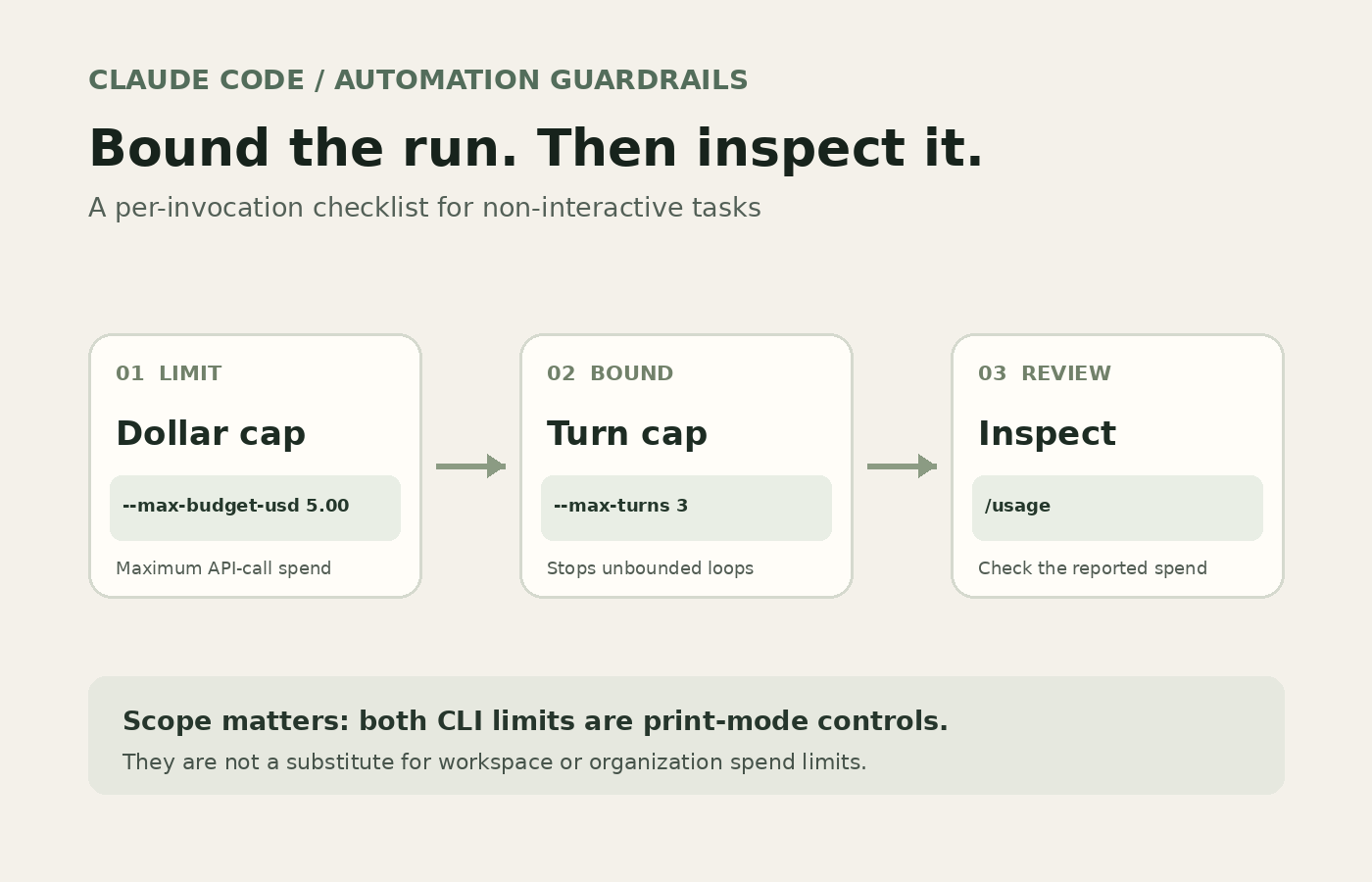
The catch is scope. Anthropic documents both command-line limits as print-mode controls. They do not replace an interactive plan’s usage limits, a team policy, or a workspace billing budget. Treat them as a per-invocation seat belt, not a global kill switch.
A safer command to copy
For an automated task, start with a small cap and a narrow request:
claude -p --max-budget-usd 5.00 --max-turns 3 \
  "Run the unit tests for the changed files. Report failures; do not edit code."
-p runs Claude Code in print mode. The dollar ceiling sets maximum API-call spend for that invocation, while the turn ceiling bounds its agentic turns. Anthropic’s CLI reference explicitly labels both flags print-mode only; it shows a limit of 3 turns and describes the dollar flag as a maximum spend. Subagent usage counts toward the dollar cap. That matters if a task can fan out work behind the main process.
The $5.00 figure is an example, not a magic safe value. Pick a ceiling from the task’s expected cost, then leave room for a legitimate retry without letting an open-ended loop run all night. A test summary may fit under a dollar; a repository-wide refactor can require more. The point is to choose a limit before the command starts, instead of trying to infer it from the invoice afterward.
Keep the prompt as tightly scoped as the cap. “Fix everything that looks wrong” invites exploration and repeated tool calls. “Run tests in src/auth, report the first failure, and do not change files” gives the agent a stopping condition humans can judge. The turn limit is a blunt boundary, so a run can exit with an error when it reaches that limit. Make sure your wrapper treats that exit as a failed or incomplete job, not as a successful result just because it printed text.
A minimal shell wrapper should preserve the CLI’s exit code and log output. For example:
set -o pipefail
claude -p --max-budget-usd 5.00 --max-turns 3 \
  "Run tests in src/auth and summarize failures without editing files" \
  2>&1 | tee claude-run.log
pipefail prevents tee from hiding a nonzero exit status. In CI, also set the job’s own timeout and retain the log as an artifact. The CLI budget cap governs model API spend; it does not stop a broken wrapper from retrying the entire command forever. Your scheduler or CI platform still needs retry limits and a wall-clock timeout.
What the cap does not cover
The docs are careful about the mode: both flags apply to print mode. Do not add them to an interactive command and assume that your subscription session now has a hard dollar ceiling. A subscription may expose usage windows or plan limits, but those are not the same thing as the per-invocation dollar threshold documented for API calls. Authentication and billing route affect what “dollars” mean, so verify the account or provider that Claude Code is using before trusting a budget number.
The flags also do not cap every cost around the job. They do not limit your runner’s compute time, external tools, a separate model gateway’s bill, or repeated invocations launched by a loop in your own script. For teams, set controls at the billing boundary too. Anthropic’s cost guide lists different reporting and cap locations for Teams or Enterprise, Claude Console API workspaces, and cloud providers. One local CLI flag cannot enforce policy across all of them.
After a run, inspect /usage in Claude Code. Anthropic’s documentation shows it reporting session cost, duration, and token use by model; its example reports a total of $0.55. That number is a documentation example, not a forecast for your job. Use logs you collect yourself to tune the next ceiling. If a cap is repeatedly reached, inspect the task, context size, and retry behavior before simply raising it.
A useful rollout rule
Start with one non-critical scheduled task. Set both caps, keep retries at zero or one, record the exit status and usage output, then compare the result with the job’s expected work. If it regularly hits the turn limit, the task may need a clearer end condition. If spend reaches the ceiling early, inspect the transcript and tool calls before giving it more money. A cap that blocks a bad run is doing its job.
For broader scheduled-workflow budgeting, see how token budgets change agentic CI costs. If you are deciding whether an automation is worth keeping at all, count setup and maintenance in its break-even cost. Those are different questions from setting one Claude Code call’s ceiling, but they belong in the same operational checklist.
If you want an unattended coding task to stop cleanly, use the cap, use a turn limit, and make the caller respect failure. Anything less is wishful thinking dressed up as automation.
Sources
- Claude Code CLI reference: exact print-mode flag scope, spend cap behavior, subagent accounting, and turn-limit example
- Anthropic guide to managing Claude Code costs:
/usagereporting and organization/provider-level spend controls