I have a simple rule for unattended AI work: if a shell command can tell me whether anything needs attention, the model should not be running yet. A test suite, health endpoint, Git diff, queue depth check, or deployment status can all return a cheap yes-or-no signal. Paying an agent to rediscover that signal every few minutes is backwards.
That is the useful idea behind loop-task, a small terminal scheduler for recurring commands. It is less interesting as an automation product than as a boundary between dumb polling and expensive reasoning. The shell watches. The model wakes up only when the shell finds a problem.
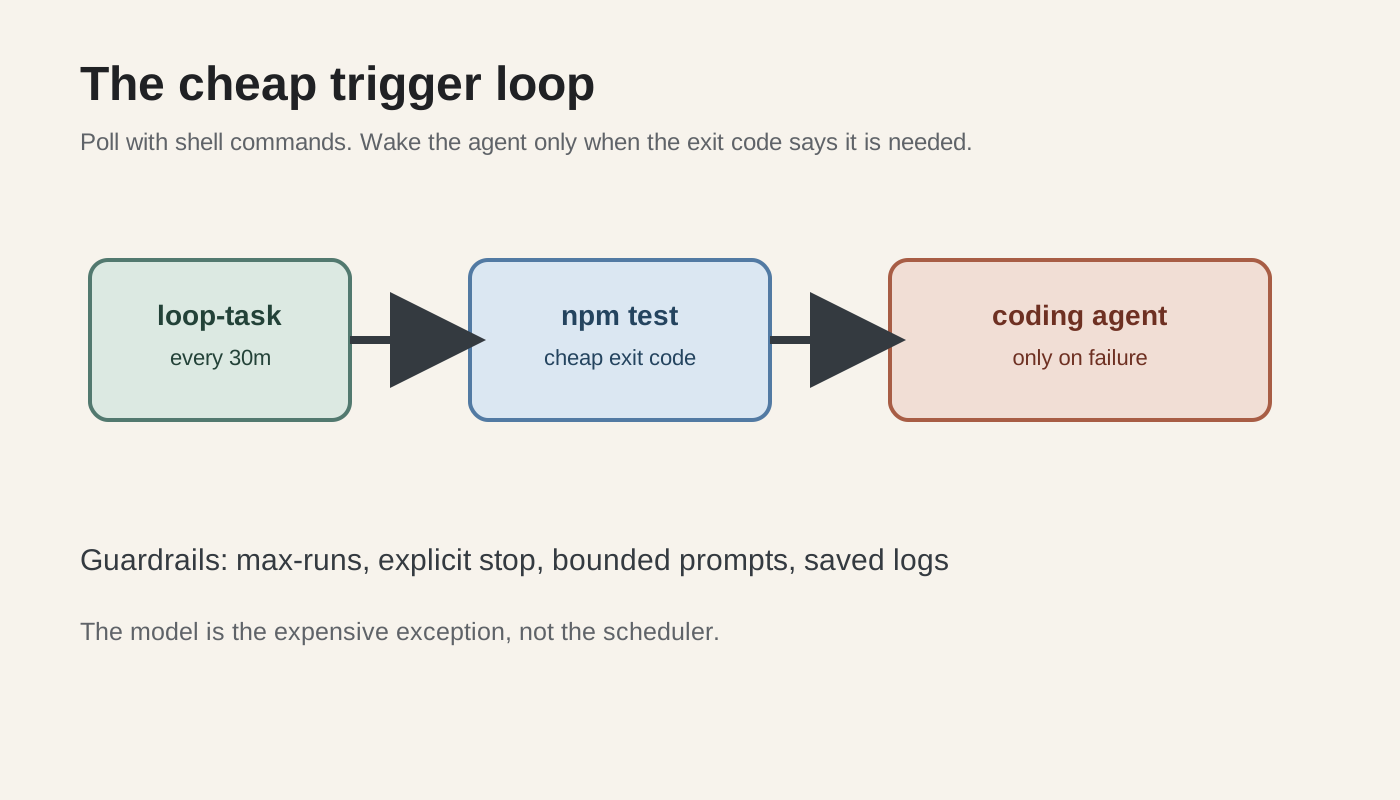
The cheap trigger loop
The setup starts with Node.js 20 or newer. The npm documentation now says the old loop-task package has moved to @plainconceptsplatform/loop-task, so install the scoped package rather than copying an older blog post blindly:
npm install -g @plainconceptsplatform/loop-task
The basic loop is deliberately boring:
loop-task new 30m -- npm test
That runs the test command every 30 minutes. The interval is not the clever part. The exit code is. A passing test run should end there. A failing run should hand a small, useful piece of evidence to the coding agent.
A wrapper script makes that boundary explicit. Save this as agent-on-failure.sh:
#!/usr/bin/env bash
set -u

log="${PWD}/agent-failure.log"
if npm test >>"$log" 2>&1; then
  exit 0
fi

claude -p "Read agent-failure.log. Fix the smallest test failure you can reproduce.
Run the relevant test again. Stop after one focused change and print the diff."
Then schedule the wrapper instead of scheduling the model directly:
chmod +x agent-on-failure.sh
loop-task new 30m -- ./agent-on-failure.sh
The same pattern works with curl -sf for a health check, a script that checks a queue, or a deployment probe. The agent receives a failure artifact, not a vague instruction to inspect the whole repository. That distinction matters. Smaller prompts reduce the chance that an unattended repair turns into an unattended rewrite.
The project also documents a 10-second foreground run:
loop-task run --now 10s -- curl -sf https://example.com/health
Use that for a short-lived diagnostic, not as a default production interval. Ten seconds is useful when you are watching a deployment move. It is wasteful when nothing can change that quickly.
Loop-task gives you more than a timer. Its documented commands include stop for a frozen loop, restart for resetting the daemon, and --max-runs for a finite run budget. Those controls are the difference between automation and a process you forgot was still alive.
What breaks in production
The first failure is usually a bad trigger. A test command can fail because a dependency registry is unavailable, a temporary service is down, or the runner has a broken environment. If every non-zero exit wakes the agent, the model will try to fix infrastructure noise as if it were a code defect.
Add a cheap classification step before the expensive call. For example, only invoke the agent when the same test fails twice, or when the failure log contains a known assertion marker. A simple shell filter is imperfect, yet cheaper and easier to audit than a model deciding whether it should be called.
The second failure is a repair loop with no budget. One broken test wakes the agent. The agent changes a file. The next run finds a different failure. The process continues until the context is huge or the repository is unrecognizable. Set a maximum run count, keep each repair focused, and make the agent stop after one change. If the failure remains after two or three attempts, send a human a report instead of granting the loop more authority.
The third failure is overlapping runs. A 30-minute interval does not guarantee that a slow test suite or a stuck agent finishes within 30 minutes. Without a lock, the next invocation can start while the previous one is still editing files. Use flock on Linux or an equivalent lock mechanism before the test command. The scheduler should launch work, not decide whether two writers may touch the same checkout.
The fourth failure is secret leakage. Test logs often contain environment variables, URLs with tokens, or customer data. Do not pass the entire log into a hosted model by default. Strip credentials, cap the number of lines, and write a narrow failure summary. If the model only needs the failing assertion and the last changed files, send those.
When the model should stay asleep
Keep the agent out of the loop when the check is deterministic and the response is deterministic. Restarting a process, deleting a stale lock, retrying one idempotent request, or opening an alert does not require reasoning. A normal shell script is faster, cheaper, and easier to test.
Wake the agent when the evidence needs interpretation and the next action is not known in advance. A regression across several modules, a failing migration, or a broken integration test can justify a model call. Even then, give it a bounded job: inspect these files, reproduce this failure, make one patch, run this command, and stop.
This is the part that gets lost in the excitement around autonomous coding. The model is not the heartbeat. The scheduler is the heartbeat. The model is an exception handler with a budget. That design keeps routine waiting close to free and makes the expensive calls visible in the run history.
Try it on one annoying check this week. Start with loop-task new 30m -- npm test, add a failure-only wrapper, and set a small --max-runs value. If the workflow cannot explain why it woke the model, it probably should not have woken it.
Sources
- loop-task package documentation: installation, 30m interval example, Node.js >= 20 requirement, stop controls, and agent workflow examples
- loop-task source repository: project source and the documented 10s foreground polling example
- Addy Osmani on loop engineering: the broader design idea of separating schedules, tasks, state, and supervision
- Community discussion about loop engineering: the problem of keeping an AI process from running continuously when a cheaper check can wait for work