A coding agent can follow a rule in a prompt. It can also forget that rule ten minutes later. Gemini CLI hooks give you a harder boundary: run a program at a defined point in the agent loop, inspect what is about to happen, and allow or deny it.
That is useful when the failure is boring and expensive. A model writes an API key into a config file. A refactor passes its first check but leaves a broken import. A long agent turn ends without running the one command that would have caught the mistake. Prompt instructions are suggestions. A hook is code in the control path.
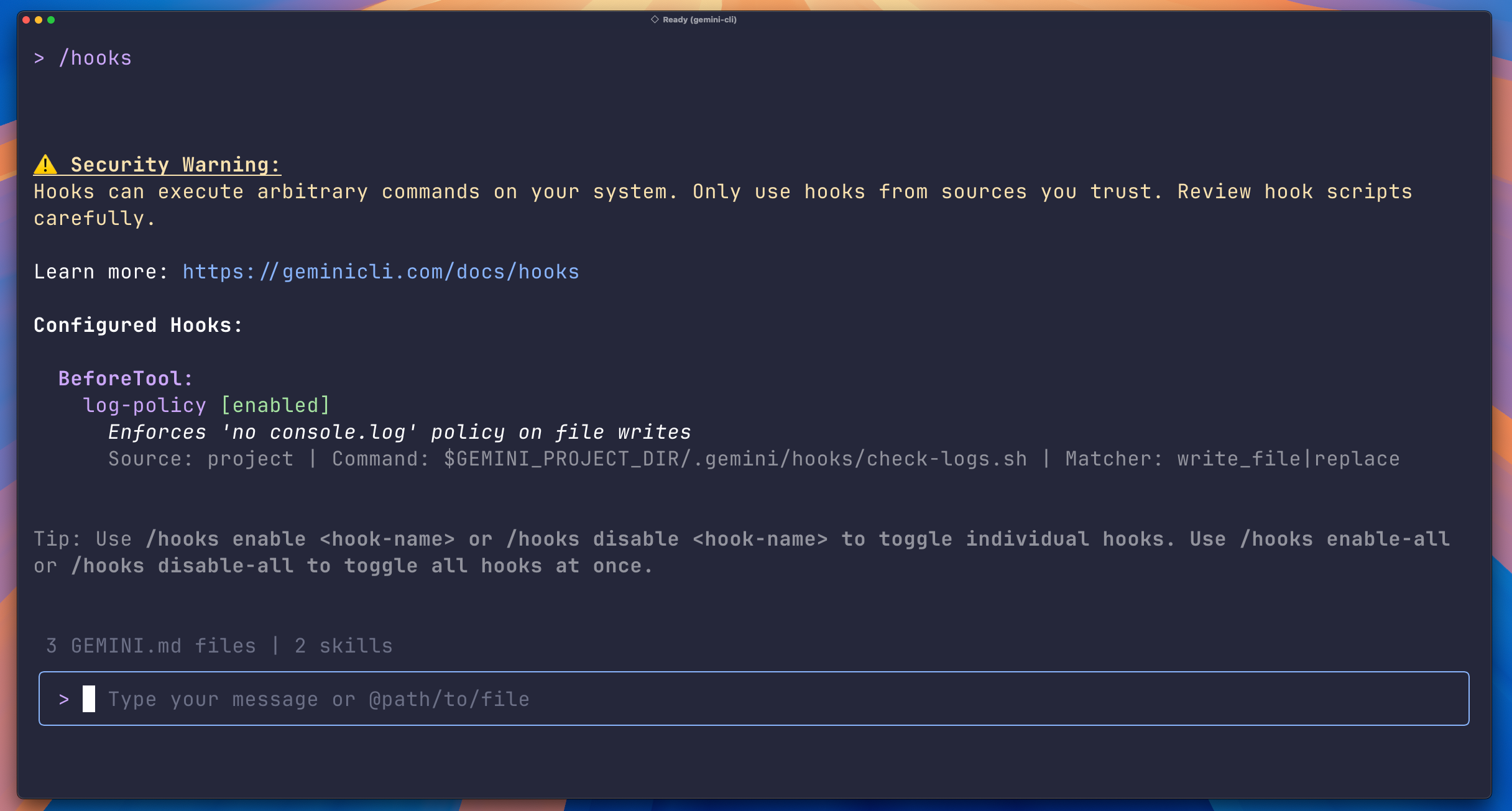
The practical question is not whether to install every hook you can find. It is whether a small policy layer can catch one class of mistake cheaply enough to leave enabled. The setup below starts with secret-bearing writes, then adds a narrowly matched post-edit check. It works with Gemini CLI v0.26.0 and later (the documented baseline) according to Google's announcement, although the current CLI access and product naming should be checked before standardizing it across a team.
A hook that blocks secret writes
Gemini CLI hooks read JSON from standard input and return JSON on standard output. The CLI waits for synchronous hooks before continuing. That gives a BeforeTool hook the right position to inspect a write_file or replace request before the filesystem changes.
Create .gemini/hooks/block-secrets.sh in the project:
#!/usr/bin/env bash
set -euo pipefail

input=$(cat)
content=$(printf '%s' "$input" | jq -r '.tool_input.content // .tool_input.new_string // ""')

if printf '%s' "$content" | grep -qE 'AKIA[0-9A-Z]{16}|api[_-]?key|password|secret|token'; then
  jq -n '{decision:"deny", reason:"Potential credential detected in proposed file content."}'
  exit 0
fi

printf '%s\n' '{"decision":"allow"}'
The regular expression is deliberately simple. It is not a replacement for a real secret scanner, and the words password and token will produce false positives in documentation. That is fine for a first safety net. A noisy rule can be tightened after you see actual blocks. A silent rule that misses the file you care about is decoration.
Then wire it into .gemini/settings.json:
{
  "hooks": {
    "BeforeTool": [
      {
        "matcher": "write_file|replace",
        "hooks": [
          {
            "name": "secret-scanner",
            "type": "command",
            "command": "$GEMINI_PROJECT_DIR/.gemini/hooks/block-secrets.sh",
            "timeout": 5000,
            "description": "Block likely credentials before file writes"
          }
        ]
      }
    ]
  }
}
The matcher is a regular expression for tool events. write_file|replace is much safer than matching every tool because it limits the hook to the operations that can put content on disk. The official example uses the same pair. The 5000 ms timeout is a ceiling, not a target. This script should finish in a few milliseconds on an ordinary project.
Test the script without starting an agent:
printf '%s' '{"tool_input":{"content":"API_KEY=AKIA1234567890ABCDEF"}}' \
  | .gemini/hooks/block-secrets.sh
printf '%s' '{"tool_input":{"content":"const answer = 42"}}' \
  | .gemini/hooks/block-secrets.sh
The first response should contain "decision":"deny"; the second should contain "decision":"allow". Keep all diagnostics on standard error. One stray echo before the final JSON can make the CLI treat the hook output as invalid and fall back to allowing the action.
A structured denial uses exit code 0 and tells the model why the action was rejected. Gemini CLI also documents exit code 2 as a critical system block. I would reserve that for a genuine emergency brake or a hook failure that should stop the operation regardless of what the model does next. For normal policy decisions, structured JSON is easier to debug and gives the agent a chance to correct itself.
Add verification only where it pays
Secret blocking is a BeforeTool job. Code quality checks belong after a write or at the end of an agent turn. The difference matters because a full test suite after every tool call makes the agent feel broken.
For a small project, an AfterTool hook can inspect the path from the event input and run a cheap formatter or linter only for files it understands:
#!/usr/bin/env bash
set -euo pipefail

input=$(cat)
path=$(printf '%s' "$input" | jq -r '.tool_input.file_path // .tool_input.path // ""')

if [[ "$path" == *.ts || "$path" == *.tsx ]]; then
  if ! npx prettier --check "$path" >/dev/null 2>&1; then
    jq -n --arg p "$path" '{decision:"deny", reason:("Formatting failed for " + $p)}'
    exit 0
  fi
fi

printf '%s\n' '{"decision":"allow"}'
Use a separate matcher such as write_.* when the CLI's tool names share that prefix, or match the exact write tools in your installation. If you need a full build, use AfterAgent instead. That hook runs after the agent's turn, so it can catch an integration failure that no single-file check can see. The tradeoff is latency and the possibility of another retry loop.
I would keep the first version to two checks: block likely credentials before writes, and run one fast syntax or formatting check after relevant writes. Add tests only after you have measured the cost. A hook that adds 40 seconds to every trivial edit will be disabled by the person who has to use it.
Where hooks fail
Hooks execute with the user's privileges. A project-level hook is therefore executable code delivered by the repository. Do not blindly enable one because a README says it improves agent reliability. Read the shell or JavaScript, inspect the command path, and check what files and network resources it touches. Gemini CLI fingerprints project hooks and warns when a hook changes, but that warning is not a code review.
There is another trust problem: the hook can be correct while the policy is wrong. Blocking the word token catches examples in a README, and allowing a write because it contains no obvious keyword does not prove the file is safe. Treat the scanner as a cheap tripwire. Use a dedicated secret scanner in CI for stronger coverage, and keep credentials out of the repository through normal environment and secret-manager practices.
The JSON contract creates its own failure mode. Log with >&2, never with plain stdout. Validate every hook with representative allow and deny inputs before handing it to an agent. Make the script fail closed only when that is actually what your project needs. A broken formatter should not strand a developer if the hook was meant to be advisory; a broken credential check may justify stopping the write.
Finally, watch the lifecycle scope. BeforeAgent and BeforeModel can run for every request. AfterAgent can run after every turn. Those are useful places for context injection and final validation, but they are expensive places for network calls, full builds, or database queries. Match the event to the smallest action that needs control.
The best Gemini CLI hook is not an elaborate autonomous system. It is a short script that prevents a mistake the model will eventually make, with a matcher narrow enough that the human does not resent it. Start with one deny rule, measure false positives for a week, then decide whether the next check deserves a place in the loop.
Sources
- Google's Gemini CLI hooks announcement: official secret-scanning example, v0.26.0 availability, matcher guidance, and synchronous execution notes
- Gemini CLI hooks reference: lifecycle events, JSON I/O contract, exit codes, matcher rules, timeouts, and project-hook security warnings
- Gemini CLI hook writing guide: implementation examples for secret blocking, context injection, tool filtering, and validation loops
- The New Stack's Gemini CLI hooks report: independent explanation of lifecycle coverage and privilege risks