A coding agent that asks for permission before every harmless shell command is not safer. It is just slower. The dangerous part is not whether Claude Code can run grep; it is whether a model with your user account can reach the rest of your machine when its instructions go sideways. Docker Sandboxes attack that problem at the execution boundary. The agent gets a private kernel, a private Docker daemon, and a disposable place to make mistakes.
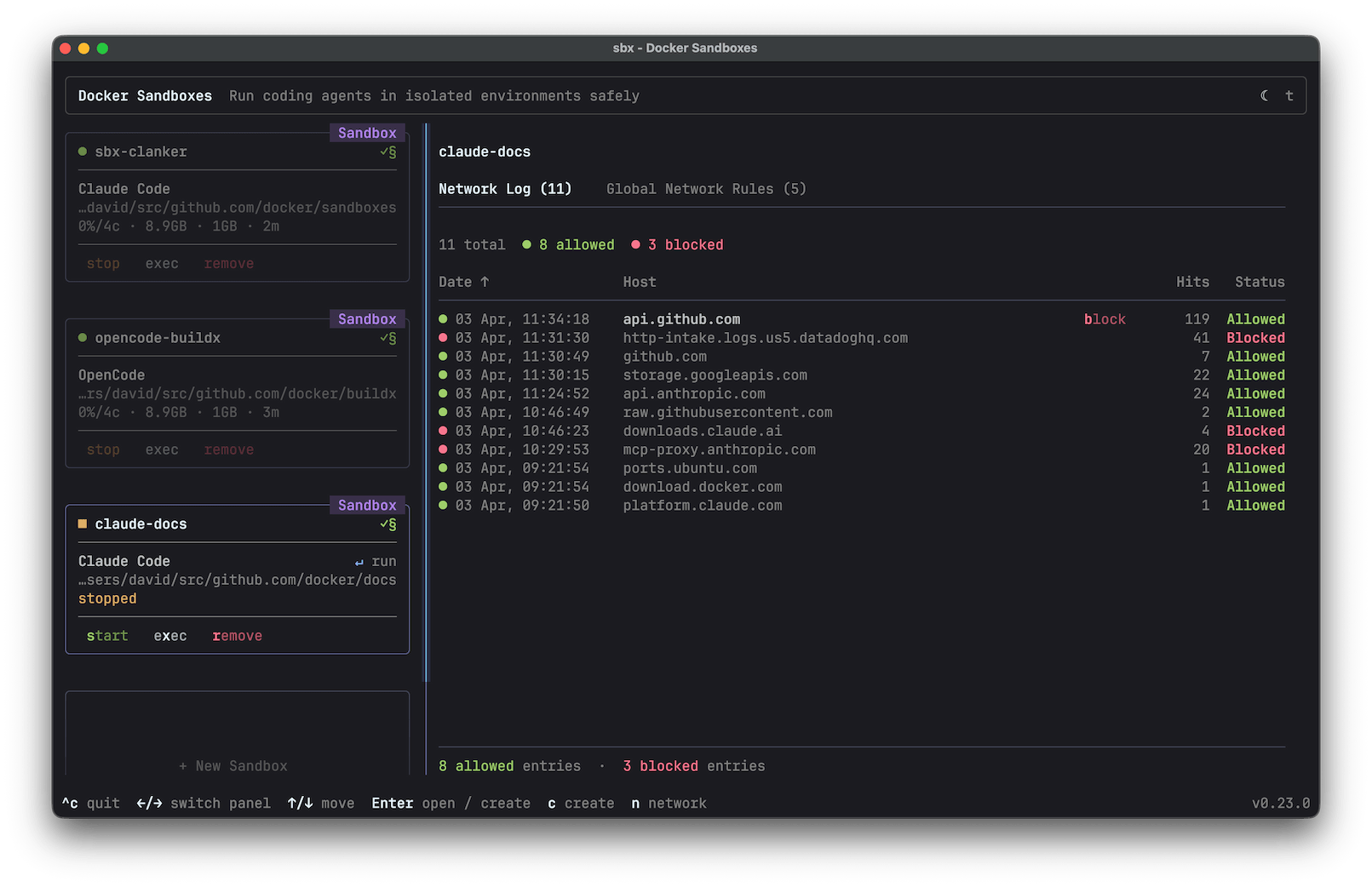
The useful question is not "is sbx safe?" It is which parts of your development loop belong inside the microVM, which files you are willing to mount read-write, and how much network access the task really needs. Docker's new sbx CLI makes that choice concrete instead of hiding it behind a permission prompt.
The setup that actually works
Install the standalone CLI, sign in, and start with Docker's Balanced network policy. The first-run chooser has 3 presets: Open allows everything, Balanced denies by default while allowing common development services, and Locked Down requires an explicit rule for every destination. Balanced is the sane starting point for a project that needs package registries, GitHub, and a model API but should not have a blank cheque for outbound traffic.
On macOS, the official install is:
brew trust docker/tap
brew install docker/tap/sbx
sbx login
On Windows, Docker documents winget install -h Docker.sbx, followed by sbx login. Linux needs KVM access. Docker Desktop is not required. The first run is slower because the agent image is pulled. Later launches reuse the cached image and start in seconds, according to the getting-started guide.
From a project directory, the shortest useful launch is:
cd ~/my-project
sbx run --name my-project claude
That default mode mounts the workspace read-write. It is convenient because edits appear in the ordinary working tree, but it is not a clean-room experiment. The agent can still rewrite your Makefile, change package scripts, alter Git hooks, or delete files inside that mounted directory. The microVM protects the host around the project. It does not protect the project from the agent.
For unattended work, I would use clone mode instead:
sbx create --clone --name feature-spike claude ~/my-project
sbx run --name feature-spike
Clone mode keeps a private Git clone inside the sandbox. That adds one review step, which is exactly the point. Let the agent install whatever it wants, run tests, build images, and make a mess in the clone. Fetch the result back into your normal repository only after checking the diff. If you are running two agents against one codebase, give each clone a different name. Do not mount the same live tree into both and then act surprised when their edits collide.
Credentials should cross the boundary through sbx secret, not through a copied .env file. For example, Docker documents this pattern for GitHub access:
gh auth token | sbx secret set github -t "$(gh auth token)"
The host-side proxy injects credentials into approved outbound requests. The actual token is not stored in the VM. That distinction matters. A sandbox that can see your long-lived GitHub token is still a credential leak waiting for the right prompt injection.
If the agent needs a local web server, publish only the port you need. Docker's usage guide uses the mapping 8080:3000, which sends host port 8080 to port 3000 inside the sandbox:
sbx run --publish 8080:3000 --name feature-spike claude
For an existing sandbox, use sbx ports feature-spike --publish 8080:3000. A common failure is binding the dev server to 127.0.0.1 inside the guest. Bind it to 0.0.0.0 so the forwarded port can reach it. When the sandbox is stopped and restarted, check the port mapping again instead of assuming it survived.
The daily loop is pleasantly small:
sbx ls
sbx exec -it feature-spike bash
sbx policy ls
sbx policy log
sbx stop feature-spike
sbx rm feature-spike
Stop preserves the sandbox. Remove deletes its packages, images, configuration, and in-sandbox clone. Your host workspace remains, but anything that lived only in the sandbox is gone. That is a feature for disposable spikes and a trap for work you forgot to commit.
Where the boundary stops
Docker lists 6 agents on the product page: Claude Code, Gemini CLI, Copilot CLI, Codex, Kiro, and OpenCode. The important common denominator is not the brand. It is that each agent can run commands, install dependencies, and use a network. A microVM gives those actions a harder boundary than a normal container because the guest has its own kernel and its own Docker daemon. You do not need to mount the host Docker socket just so the agent can build a container.
That does not turn an autonomous agent into a trustworthy operator. Independent write-ups from Andrew Lock and Ken Muse both point out the live-workspace tradeoff and the practical friction around network policies, performance, and commit signing. Arcade's security analysis makes the larger distinction: execution isolation controls where the process runs, while authorization controls what external systems the agent can change. A sandbox can stop a bad command from trashing your home directory. It cannot decide whether a valid GitHub credential should be allowed to merge a pull request.
So the deployment recipe depends on task shape:
- For a quick, supervised edit, use the shared workspace. You get immediate diffs and less ceremony.
- For an overnight build, dependency upgrade, or unfamiliar repository, use
--cloneand Balanced policy. - For a task that needs one external service, start Locked Down and add a narrow allow rule. This costs a few minutes and exposes missing dependencies early.
- For production credentials, destructive APIs, or merge rights, keep a separate approval layer. Do not treat the VM as a substitute for least-privilege tokens.
One more practical warning: the workspace mount is a capability, not a detail. If the agent can write to the directory, it can write to anything the directory contains. Keep secrets out of it. Make a clean branch. Inspect hidden files and hooks, not just the pretty diff. If the task fails in a strange way, sbx policy log is often more useful than adding another broad allow rule.
The strongest case for Docker Sandboxes is not that they make YOLO mode magically safe. It is that they make the blast radius explicit. The agent can be reckless inside a place you can delete. That is a much better failure mode than giving a model your home directory, Docker socket, credentials, and a terminal full of approval prompts that you eventually stop reading.
Before trusting the workflow, run a small task probe. Use the eight-task test for coding agents to check whether the sandboxed setup actually helps your repository. For the security model behind replacing reflexive prompts with external boundaries, see why permission prompts are a weak safety boundary.
Sources
- Docker Sandboxes getting started guide: installation, 3 network presets, workspace boundary, credentials, and cleanup
- Docker Sandboxes usage reference: clone mode, port mapping such as 8080:3000, persistence, and lifecycle commands
- Docker Sandboxes product page: microVM model and 6 supported coding agents
- Andrew Lock's sbx field report: network policy friction, memory controls, Git signing, and performance limits
- Ken Muse's Docker Sandbox security walkthrough: microVM isolation, secret injection, clone mode, and policy logs
- Arcade's sandbox boundary analysis: why execution isolation does not replace authorization and audit controls