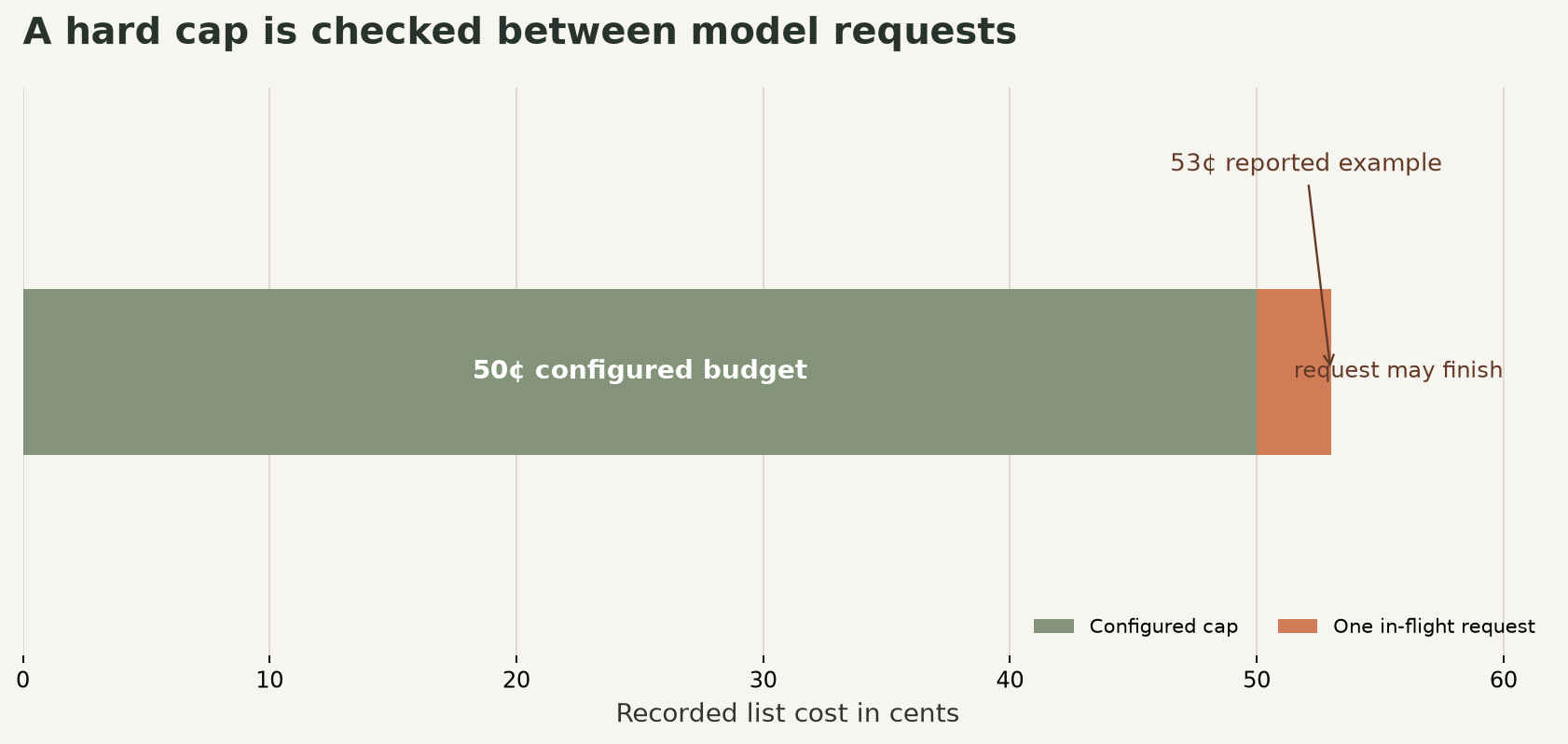
A budget field can stop an unattended Claude Managed Agent session from launching another model request after its spend reaches a limit. It cannot rewind the request already underway. Anthropic’s own example makes the distinction concrete: a session capped at 50 cents can finish at 53 cents. That three-cent example is not a universal overage estimate. It is a warning that a hard stop checked between requests is not an exact checkout total.
If you run Claude Managed Agents through the API, attach the cap when creating each session. If you use a different agent framework, this exact field does not apply; you need that framework’s own enforcement point. A prompt telling an agent to “stay under budget” is not a substitute for a platform-side stop.
Set the cap when creating the session
Anthropic accepts a budget object on session creation. The amount is a string containing whole US cents, not a decimal dollar value. Here is the official Python SDK shape, with IDs supplied by your existing setup:
session = client.beta.sessions.create(
    agent=agent.id,
    environment_id=environment.id,
    budget={
        "type": "limit",
        "max_list_cost": {"amount": "125", "currency": "USD"},
    },
)
That config sets a $1.25 limit. The docs' example describes this as 125 cents. The string matters: use "125", not 1.25 and not "1.25". USD is the supported currency in the current documentation. You cannot add a budget later to a session created without one, so make this decision before calling sessions.create. Existing sessions that already have a budget can have it changed or removed.
The number is a session-level list-cost limit. Anthropic counts model tokens at public list rates, web searches at $10 per 1,000 requests, and active session runtime at $0.08 per hour. If your contract has discounts, the enforcement still compares against list prices, not your negotiated invoice amount. That makes it useful as a conservative guardrail, but don’t reconcile it as if it were an exact copy of your bill.
Choose a cap from a representative run, not a guess pulled out of the air. Run a small test with the same model, tools, context size, and task shape as production. Read the resulting usage.list_cost, then decide how much room a normal successful task needs. For a scheduled task, budget each session run deliberately; a cap on one run should not be mistaken for a monthly workspace ceiling.
Budget for the request already in flight
The platform checks the running total before a model request. If the total is already at the limit, it pauses threads before they start another request. But if a request begins while the session is still below the cap and pushes it over, that request completes. Tool calls returned by that request can also run, and their metered use contributes to the session total. In a multiagent session, the budget is shared across the session’s threads, and work already admitted can finish independently.
This is why you should leave margin. Estimate the largest plausible single request, including the output and any tool activity it may trigger, and set the cap above the desired task allowance by that amount. The service’s documented example shows a 50-cent cap with the final cost reaching 53 cents. That is not a promise that every task only overshoots by three cents. Larger requests or parallel threads can leave a larger gap. If the cost of one final request is unacceptable, a platform budget alone is not enough: reduce the work unit, restrict tools, or add an application-side approval before costly actions.
The cap also counts session runtime. Anthropic lists that at $0.08 per active session-hour, so a quiet but still-running session is not necessarily free. For a long-lived workflow, set an idle timeout in your own orchestration and close or pause work that has no reason to remain active. Cost controls and permission controls solve different problems. Use spend limits to bound usage, and separately gate tools that can send messages, modify records, or trigger external work. Our guide to separating spend limits from tool approval gates covers the action side.
Monitor, pause, and resume safely
When the budget is reached, the session goes idle with stop_reason set to budget_reached; it does not disappear. History and the sandbox remain available. Fetch the session after it becomes idle and inspect usage.list_cost, active_seconds, token counts, and server tool requests. The Console session viewer also shows spend against the budget and lets you inspect the transcript and tool calls. For enforcing a limit, use the budget itself rather than polling usage and trying to stop the session after the fact.
Treat a budget pause as a review point, not an automatic invitation to raise the cap. Check what the agent completed, which tool or model request consumed the last increment, and whether the task still needs to continue. If the work is valid and you want to resume, update the existing cap to an amount strictly above the session’s consumed list cost. The update resumes paused work. Removing the budget also resumes it, but removal is one-way: you cannot add a budget back to that session. Keep the cap in place unless you have a specific reason to lift it.
For production, log the session ID, intended task, cap, final list cost, and outcome together. Compare actual cost per successful task, not just raw token counts. A workflow that hits its cap because it repeats a failing tool call needs a different fix from one that performs useful work but needs a slightly larger allowance. Keep those cases separate in your dashboards.
A workable rollout is small: create a session with a low but realistic ceiling, run a representative task, inspect the pause behavior, then raise the cap only after you know what the final in-flight request can consume. Test both the expected success path and a loop or tool-error path. If you operate outside Anthropic Managed Agents, carry over the principle, not this API snippet: place an enforceable boundary before each new model call, account for concurrent work, and decide what happens to in-flight tools when the limit trips.
Sources
- Anthropic session budgets documentation: list-cost rules, hard-cap behavior, resume semantics, and overshoot example.
- Anthropic session creation guide: Python creation syntax and budget field format.
- Anthropic session observability guide: usage fields and Console inspection.
- Anthropic Managed Agents API reference: endpoint and SDK method reference.