Cloud meeting assistants are convenient right up to the moment a sensitive transcript becomes somebody else's retention problem. Meetily takes the opposite bet: capture the meeting, transcribe it, and store the resulting data on your machine. Its public repository lists 30,046 GitHub stars, supports 3 operating systems, and exposes both local and hosted summary providers. The useful part is not the slogan. It is the deployment choice hidden in the build scripts.
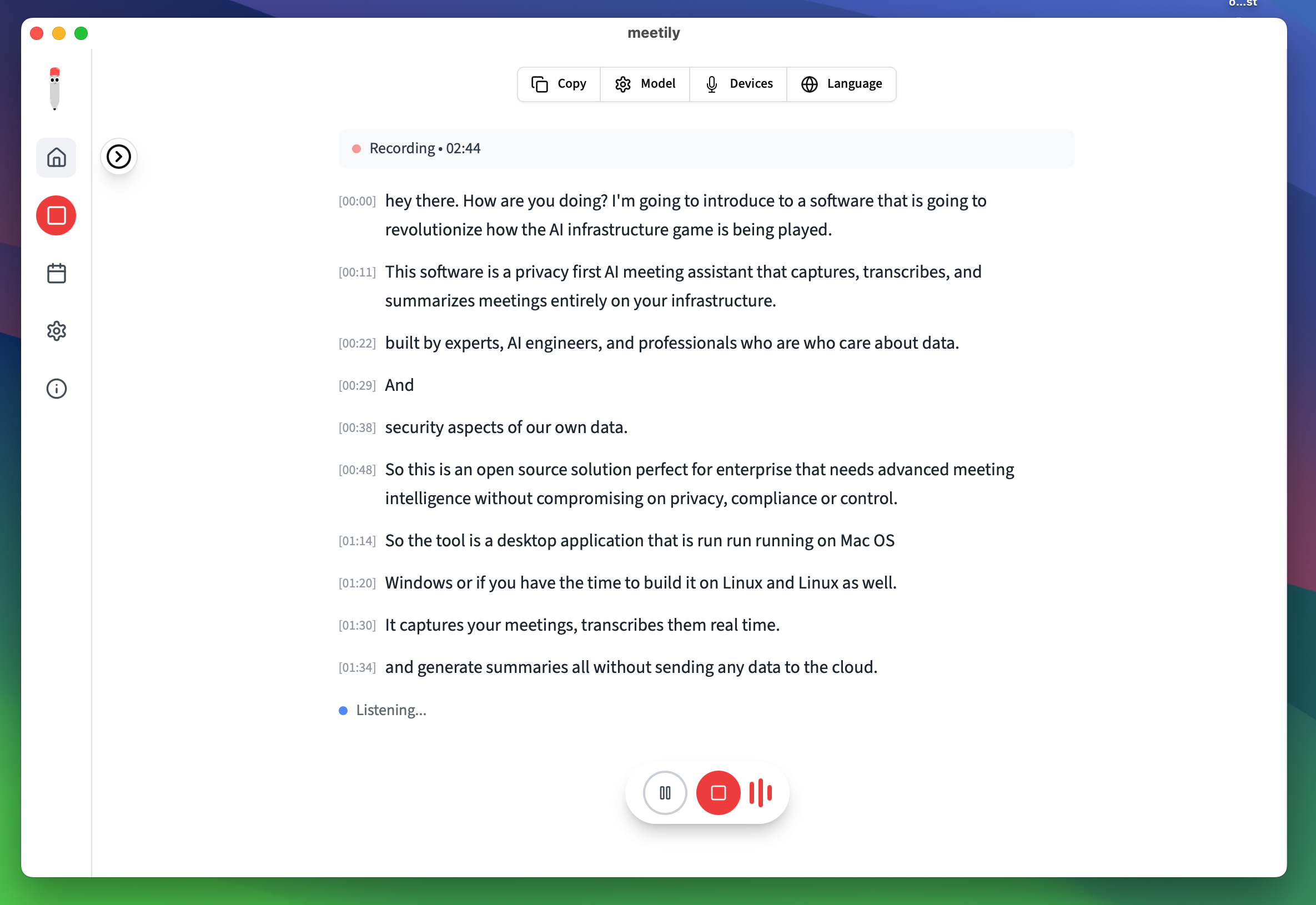
If you need meeting notes for internal calls, customer interviews, or research sessions, the decision is simple enough to test. Do you want audio and transcripts to leave your computer for convenience, or are you willing to spend an hour building a local workflow to keep control? Meetily is a reasonable answer when the second option matters. It is less reasonable if you need polished team administration, automatic calendar joining, or perfect speaker separation today.
The project is a Tauri desktop app with a Next.js interface and a Rust core. The Rust side handles audio capture, transcription, the local SQLite database, and summaries. Whisper and Parakeet handle speech-to-text. Ollama can handle summaries on the same machine, while Claude, Groq, OpenRouter, and other OpenAI-compatible endpoints remain available if you want to send only the transcript to a remote model. That last distinction matters. Local transcription and remote summarization are different privacy decisions, not one all-or-nothing switch.
The setup that actually works
On Linux, the official path starts with basic build tools:
sudo apt update
sudo apt install build-essential cmake git
git clone https://github.com/Zackriya-Solutions/meeting-minutes
cd meeting-minutes/frontend
pnpm install
./build-gpu.sh
The scripts inspect the machine before compiling the llama-helper sidecar. They check for NVIDIA CUDA first, then AMD ROCm, Vulkan, OpenBLAS, and finally CPU-only mode. This order is useful because it tells you what the project considers a real acceleration setup. An NVIDIA driver by itself does not qualify. The guide looks for nvidia-smi plus either CUDA_PATH or nvcc. For AMD, it wants rocm-smi plus ROCM_PATH or hipcc. Vulkan needs vulkaninfo, VULKAN_SDK, and BLAS_INCLUDE_DIRS.
That gives you a practical rule. Start with CPU-only mode unless transcription speed is already a problem. A clean Linux machine with no SDK falls back to CPU. That is not a failed install. It is the expected fifth branch in the detector. If you do have an NVIDIA card, check the toolkit before changing build flags:
nvidia-smi
nvcc --version
nvidia-smi --query-gpu=compute_cap --format=csv
The project guide claims a 5-10x speed boost for CUDA over its CPU baseline, but that number is a project reference, not a promise for every meeting laptop. Your model size, audio length, thermal limits, and background load will decide whether the difference is noticeable. For a one-hour meeting processed once, CPU may be perfectly tolerable. For live transcription or repeated imports, GPU time starts to matter.
If you have a compatible NVIDIA card and the compiler sees the toolkit, the guide shows a targeted build like this:
CMAKE_CUDA_ARCHITECTURES=86 \
CMAKE_CUDA_STANDARD=17 \
CMAKE_POSITION_INDEPENDENT_CODE=ON \
./build-gpu.sh
Change 86 to the compute capability reported by your card. Do not copy that value blindly. A mismatched architecture can waste compile time or leave you wondering why the binary does not use the GPU.
Vulkan is the practical fallback when CUDA or ROCm is unavailable. On Ubuntu, the documented route is:
sudo apt install vulkan-sdk libopenblas-dev
export VULKAN_SDK=/usr
export BLAS_INCLUDE_DIRS=/usr/include/x86_64-linux-gnu
./build-gpu.sh
The important detail is that graphics drivers and development libraries are separate things. Many local AI setup guides blur that line. Meetily's detector does not. If the build says CPU-only even though a GPU is visible in the desktop, inspect the SDK checks before reinstalling the application.
Once the app runs, keep the first test boring. Record a five-minute meeting, confirm that the transcript is saved locally, and generate one summary with Ollama. Only after that should you try a remote OpenAI-compatible endpoint. The official architecture notes describe a local SQLite database for meeting metadata, transcripts, and summaries. Treat that as a boundary to verify rather than a reason to trust a checkbox. Check where the files land, back up the database, and decide who has access to the machine.
Where the local route breaks
The first failure mode is assuming that local transcription automatically means every part of the workflow is local. It does not. Meetily's README supports Ollama, but it also supports Claude, Groq, OpenRouter, and OpenAI-compatible endpoints. A remote summary request can still expose the transcript even when the audio never leaves the laptop. If a call contains customer data, legal advice, health information, or unreleased product plans, use Ollama until you have checked the remote provider's retention and training policy.
The second failure mode is chasing GPU acceleration too early. A build that falls back to CPU is easier to debug than a half-configured CUDA or Vulkan stack. Get a complete recording-to-transcript-to-summary loop working first. Then change one variable. Install the SDK, verify its command, rebuild, and compare processing time on the same audio file. Do not compare a five-minute recording against a live call and call the result a benchmark.
The third failure mode is confusing a free download with a finished team product. The community edition gives you local transcription, summaries, import, and core editing. The project also advertises a paid PRO edition with additional exports, custom summary workflows, and team features. That is not a moral problem. It is simply a product boundary. If you need PDF or DOCX exports, speaker identification, calendar integration, or automatic meeting joining, check the current edition before designing your workflow around those features.
There is also a human problem that no build flag fixes: consent. Local storage reduces vendor exposure, but it does not make recording every conversation lawful or welcome. Tell participants when recording is active, follow the rules for your location, and protect the local database like any other sensitive business file. A private machine with a weak login is not a privacy system.
For readers comparing this with a hosted service, the trade is clearer when written down. Hosted tools remove build and maintenance work, and they often provide better collaboration features. Local Meetily removes recurring transcription API usage and keeps the raw audio under your control, but you own updates, backups, model downloads, hardware, and failure recovery. Our earlier guide on how hosted transcription APIs change the trade-offs covers the cloud side of that choice.
My recommendation is narrow. Use Meetily when privacy is a requirement, meetings happen on a machine you control, and you can tolerate a little setup work. Start CPU-only. Add CUDA, ROCm, or Vulkan only after you have measured a real delay. Keep summaries in Ollama if the transcript is sensitive. Use a remote endpoint only for material you have explicitly cleared. The project has enough public adoption to deserve a serious test, but 30,046 stars do not remove the operational work. They just make the experiment less lonely.
Sources
- Meetily GitHub repository: local processing claims, provider options, platform support, installation commands, and feature boundaries
- Meetily Linux build guide: GPU detection order, SDK checks, build flags, troubleshooting, and the 5-10x reference speed claim
- Meetily architecture documentation: Tauri, Rust, Next.js, SQLite, transcription, and summary components
- Meetily repository metadata: current public star count and repository activity