Most AI lead workflows get the dangerous part backwards. They let a model classify a form, update the CRM, draft an email, and send the email in one continuous run. That feels efficient right up until the model invents a budget, merges two contacts, or sends a confident sales pitch to somebody who only downloaded a guide.
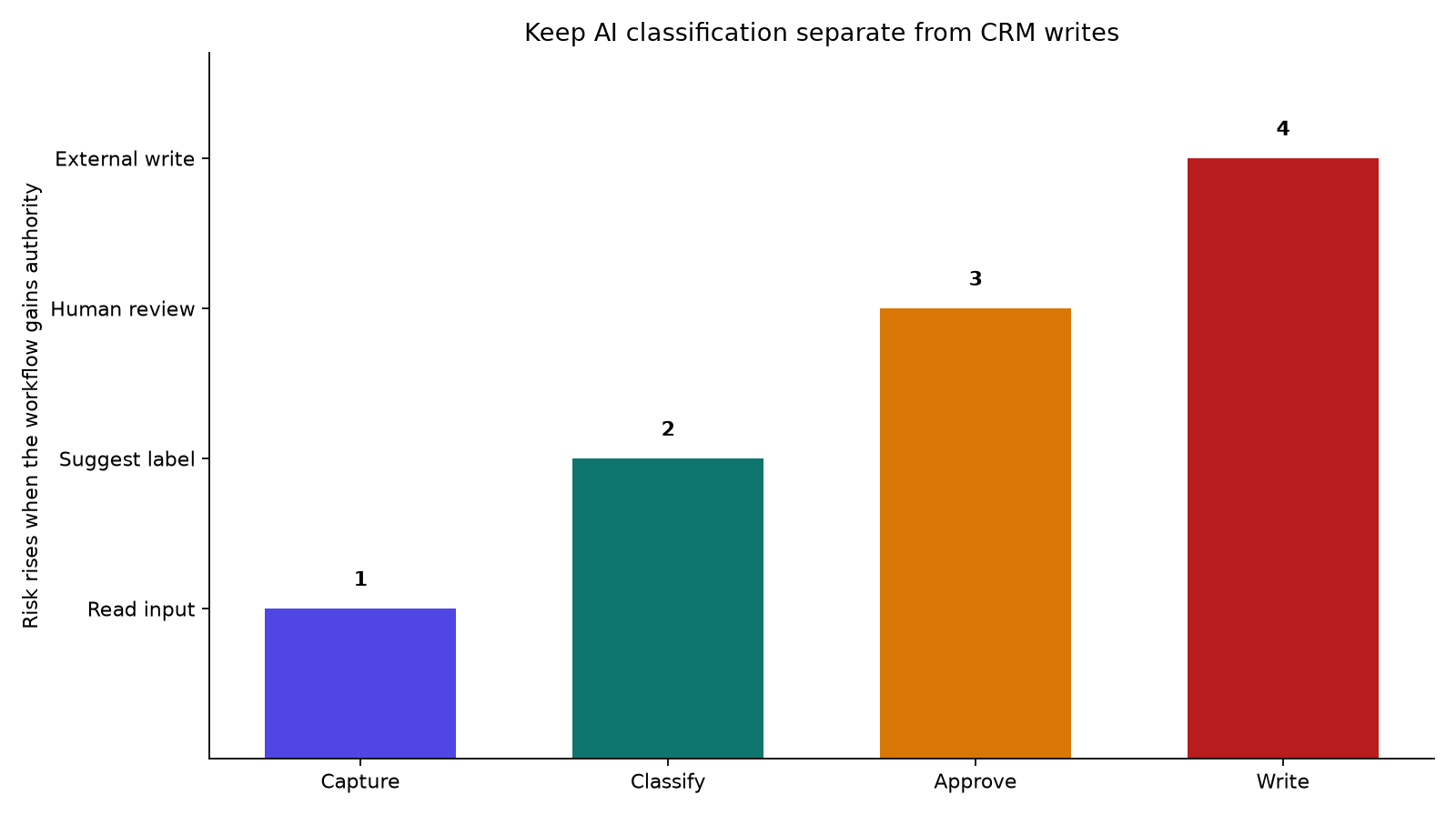
A safer n8n AI lead qualification workflow has a boring boundary: the model can read and recommend, but it cannot write to the CRM until a person approves the proposed action. That gives you useful automation without pretending that a probability score is a business decision.
The approach below is based on n8n's own human review behavior and a published lead qualification template. It is small enough to build in an afternoon, and more importantly, it gives you a clean way to test whether the workflow helps before you connect it to a revenue system.
The workflow to build
Start with a form, webhook, or ad platform trigger. Normalize the incoming record before the model sees it. Keep the fields explicit: name, email, company, request text, budget if supplied, timeline, source, and consent status. Do not pass an entire raw webhook object into the prompt and hope the model finds the important fields.
The first AI step should produce a decision object, not a paragraph. A useful minimum looks like this:
classification: hot, warm, cold, spam, or needs_reviewconfidence: a number between 0 and 1reasons: two short facts from the submitted recordduplicate_risk: yes or nomissing_fields: the fields a human must checkrecommended_action: review, request_information, or archive
Turn on n8n's specific output format option for the agent or connect an output parser. The important detail is that the next node receives predictable fields. If the model returns a friendly essay instead, every downstream IF node becomes a fragile text-matching exercise.
Keep this first pass read-only. It can look up an existing contact or search a product catalog, but it should not edit the record. A classification is a suggestion. A CRM mutation is an external action.
Next, add a Set or Code node that builds an approval payload. Include the original lead ID, the proposed label, confidence, reasons, duplicate flag, and the exact action that will happen after approval. Avoid sending only a score. A person cannot review a number without seeing what the number is supposed to cause.
n8n's human-in-the-loop tool review follows 5 approval steps: the agent requests a tool call, the workflow pauses, the reviewer sees the tool name and parameters, the reviewer approves or denies it, and the tool either executes or stops. Telegram is one of the supported review channels, which is convenient for a small team that does not live inside the CRM all day. In your approval message, make the dangerous bit visually obvious: "Approve CRM update and draft email for lead 1842" is better than "AI result ready."
After approval, route the execution through an IF node. The approved branch can update the CRM, create a task, or generate a draft email. The denied branch should store the rejection reason and stop. Do not silently retry a denied action with a more persuasive prompt. That turns a review gate into a nag screen.
The published n8n template follows a similar shape for a real service-business workflow: intake, AI classification, routing, personalized email generation, Telegram approval, an approval decision router, a revision loop, delivery, and database tracking. It reports about 30-45 seconds per lead and 2-3 Claude requests per lead, with one more request when a reviewer rejects the draft. Those figures are useful planning numbers, not a promise. Your model, prompt size, rate limits, and integrations will change them.
What to put in the approval card
The approval step is where most implementations become either useful or ceremonial. The reviewer should be able to make a decision without opening five tabs.
Use a compact card with this order:
Lead: name, company, source, and a link to the original record.
Model suggestion: classification and confidence.
Evidence: the exact phrases or fields that drove the suggestion. If the model says "high budget," show the budget field. If the field is missing, the workflow should say that instead of filling the gap with an assumption.
Proposed write: the CRM fields that will change, including before and after values.
Proposed communication: the email or message draft, if one exists.
Buttons: approve, deny, and send back for revision.
The reviewer is not there to proofread an essay. They are checking whether the evidence supports the action. Keep the message short enough that a human can process it in under a minute.
Use a separate revision path for rejected copy. Store the reviewer's reason as structured input, then ask the model to revise only the draft. Do not rerun classification unless the reviewer changed the underlying lead data. Otherwise a copy edit can unexpectedly change the lead's priority.
You can also use a two-stage rollout. During week one, let the workflow classify every lead but make humans perform all CRM writes. During week two, allow automatic writes only for low-risk actions such as adding a tag, while keeping outbound email, deletion, lifecycle-stage changes, and assignment behind approval. This creates a gradual authority ladder instead of a dramatic switch with manual work to full autonomy.
What breaks first
Malformed output. The model returns HOT instead of hot, a confidence of "pretty sure," or a missing reason. Reject the record before it reaches the approval card. The workflow should send malformed cases to a review queue, not coerce them into a valid-looking value.
Duplicate contacts. A lead arrives through a form and an ad integration at nearly the same time. Search by stable identifiers such as normalized email, phone, or an external lead ID. Let the model explain a possible match, but use deterministic checks for the actual duplicate flag.
Overconfident missing data. A blank budget is not a small budget. A missing timeline is not an urgent timeline. Add a missing_fields output and make the approval card show it. You want the model to admit that it cannot decide.
Approval without context. If the Telegram message contains only "HOT lead, approve?", the human will approve based on vibes. Include the proposed field changes and evidence. n8n exposes the tool name and parameters through the $tool variable, so the approval message can show exactly what the agent is asking to execute.
Retries that repeat side effects. Put idempotency keys on CRM writes and email sends. The key can be the lead ID plus the action version. If a webhook retries after a timeout, the second execution should detect that the action already happened rather than send the same email twice.
A giant agent prompt. The model should classify and explain. It should not be responsible for parsing every field, deciding the business policy, choosing a CRM endpoint, and writing customer-facing prose in one turn. Split those jobs. Deterministic nodes should handle normalization, duplicate checks, thresholds, and routing. The model should handle the messy language.
No evaluation set. Before activating the workflow, collect a small set of real, anonymized examples. Include obvious hot leads, obvious junk, borderline cases, duplicates, and records with missing fields. Have a person label them. Run the same set after every prompt or model change. A workflow that feels clever in a demo can quietly shift its decisions after a provider update.
There is a larger lesson here. An AI agent does not become reliable because it has more tools. It becomes easier to trust when each tool has a narrow job and the irreversible ones have a visible owner. n8n gives you the pieces: structured output, fallback model settings, iteration limits, batch controls, and human review for selected tools. You still have to decide which actions deserve a pause.
If you build this, start with classification and a Telegram approval message. Leave email sending and CRM mutation disabled until the workflow survives your evaluation set. Then enable one low-risk write and watch the rejected cases. That is a much better test than asking whether the agent sounds smart.
Sources
- n8n human-in-the-loop tool review: official behavior for approval, denial, tool parameters, and Telegram review
- n8n AI Agent Tool documentation: structured output, fallback models, iteration limits, and batch controls
- n8n lead qualification template with human approval: concrete intake, classification, Telegram approval, revision, delivery, and tracking workflow
- Why approval prompts are not enough: related NestFrontier analysis of human review limits