A WhatsApp bot can be cheap to run and still be a bad business decision. That is the awkward part people skip when they post a Docker Compose file and call the problem solved.
The low-cost stack is straightforward: Evolution API keeps a WhatsApp session connected, n8n receives events and runs the workflow, Redis holds short conversation history, and an AI model drafts the reply. A Reddit user described replacing $150 per month in AI SaaS with a $15 VPS and four small assistants. That is a useful experiment, not proof that the setup is safe for a customer-facing number.
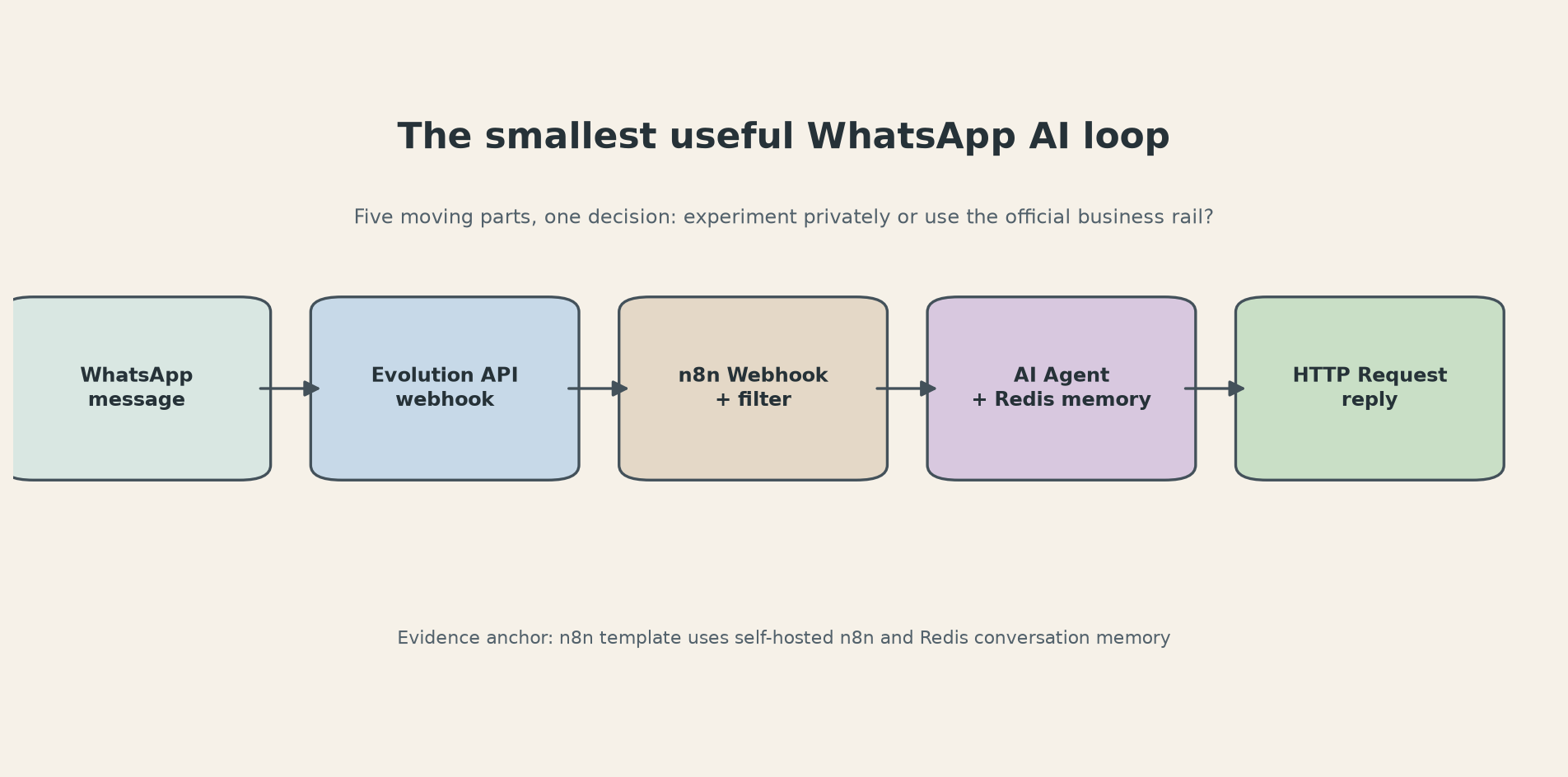
The decision is simple. Use this route for a private prototype, an internal helper, or a low-stakes number where losing access would be annoying but survivable. Use the official WhatsApp Business Platform when the number is part of support, sales, appointment reminders, or anything your company cannot afford to lose. The monthly bill is not the only cost in the comparison.
The smallest useful workflow
Start with one message type: plain text. Leave voice transcription, image analysis, CRM lookups, and autonomous actions for later. The official n8n template for this stack handles six workflow steps across text, audio, and images (6 workflow steps), but its own setup list already tells you the minimum moving parts: self-hosted n8n, Evolution API credentials, Redis, an OpenAI credential, and a webhook.
The message loop looks like this:
Receive. Create an instance in Evolution API and link the test WhatsApp number with its QR code. Configure the MESSAGES_UPSERT event to POST to an n8n Webhook node. Use the production webhook URL, not the temporary test URL. A surprising number of broken bots are listening on the URL that only works while the editor is open.
Filter. The webhook payload includes the sender and message data. Reject events sent by your own number, status events, empty messages, and anything that is not a text conversation. This filter belongs before the model call. It prevents a loop where the bot answers itself and gives you a clean place to add rate limits.
Remember. Connect the AI Agent and the incoming chat to the same Redis memory. The n8n template recommends Redis for conversation memory and lets you adjust the retention window. Keep it short at first. A support bot that carries every message ever sent into every prompt becomes slow, expensive, and hard to debug.
Answer. The AI Agent needs at least one tool in current n8n. For a first version, the tool can be an HTTP Request node that calls your own FAQ endpoint or a small lookup service. n8n documents the HTTP Request node as a general REST client and also supports attaching it to an AI Agent as a tool. The docs list 6 HTTP methods for requests. That means you can start with a fixed FAQ API instead of handing the agent a database and hoping it behaves.
Send. Call Evolution API's send-message endpoint with the instance name, destination number, and generated text. Return a fast success response from the webhook path, then do the slower model work in a controlled workflow. If the provider retries a webhook while the first run is still thinking, you want an idempotency check keyed to the incoming message ID.
In practice, this is six useful checks before you invite anyone else to test it:
- The n8n production URL responds from the public internet.
- Evolution API is configured for
MESSAGES_UPSERT, with the exact capitalization expected by the deployment. - The workflow ignores messages marked
fromMe. - Redis uses a stable key based on the WhatsApp sender, not a new key for every event.
- The model receives a bounded history and a clear instruction to escalate uncertain requests.
- The outgoing request uses an n8n credential or environment variable, never a key pasted into a Code node.
That is enough to build a useful FAQ assistant. It is also small enough that you can inspect every hop when it fails.
Where this setup breaks
The first failure is usually webhook plumbing. Evolution API can be connected and still send nothing to n8n if the server cannot reach the production URL, the event name is wrong, or a reverse proxy strips the request. Send a test request to the n8n webhook yourself. Then inspect the n8n execution log. Do not start by changing the prompt. A model cannot fix a webhook that never arrived.
The second failure is memory. If the same person can message from more than one device or number format, your Redis key can split one conversation into several fragments. Normalize the identifier before memory lookup, and set a TTL. Infinite chat history is not a feature. It is an unpriced database.
The third failure is false confidence. The official n8n template is a template, not a production safety review. It supports a multimodal flow with text, audio, image handling, Whisper transcription, GPT-4 Vision analysis, and Redis memory, but every extra branch is another place for malformed input, unexpected cost, or an unsafe reply. Ship the text path first. Add one input type only after you have logs and a human fallback.
Then there is the issue people bury in the last paragraph: Evolution API is an unofficial route for many deployments because it connects through a WhatsApp Web style session rather than the sanctioned Business Platform. WhatsApp's Business Messaging Policy says unauthorized messaging at scale can lead to access being limited or removed. The Evolution API repository itself is real open source software, with 9.4k stars on GitHub and a documented Docker path. That does not turn the transport into an official WhatsApp integration.
This changes the decision matrix:
Choose Evolution API plus n8n when you are prototyping, the number is disposable, traffic is small, recipients expect the conversation, and you can tolerate reconnecting the account. Keep the bot narrow. Do not use it for unsolicited campaigns.
Choose the official WhatsApp Business Platform when the number is your business line, you need durable support operations, you have consent records, or a suspension would interrupt revenue. You will accept setup and policy work in exchange for a supported channel.
Choose neither when the proposed bot has no clear job. A general purpose chatbot on a phone number is a poor first automation. A bot that answers one well-defined question and hands off the rest is easier to test and easier to remove.
The $15 VPS story is still useful because it exposes the shape of the cost. The server may be a flat monthly line item, but the model, logs, backups, monitoring, number recovery, and human review are not free. If you already run Docker and n8n, adding an experimental workflow can be cheap. If you need a reliable customer channel, the official fees are a form of insurance, not wasted money.
One more practical rule: never let the model decide whether a message should be sent to a new contact. Put that decision in a deterministic node with an allowlist, an opt-in record, and a human approval branch. The AI can draft. Your workflow should decide who gets contacted.
Try this with a test number for one week. Build only the text path, log every incoming event and outgoing reply, and count how often a human had to correct it. If you cannot explain a failed message from the logs, you are not ready to connect the business number.
For the broader hosting calculation, compare this setup with n8n hosting economics before choosing a server. The cheap part is easy to see. The operational risk is the part worth pricing.
Sources
- Evolution API GitHub repository: open source WhatsApp integration API, Docker instructions, integrations, and repository metadata
- n8n WhatsApp assistant workflow template: self-hosted requirement, Redis memory, webhook flow, and supported message types
- n8n HTTP Request node documentation: REST calls, credentials, request bodies, and AI Agent tool usage
- n8n AI Agent node documentation: current tool requirement and agent behavior
- WhatsApp Business Messaging Policy: policy language on unauthorized messaging and access limits
- Self-hosted cost breakdown discussed on Reddit: community example of a $150 to $15 monthly stack comparison